




DOK Question Builder
Generate Standards-Aligned DOK Questions from Any Text
DOK Question Builder in Britannica Studio’s helps educators create classroom-ready question sets aligned to Webb’s Depth of Knowledge (DOK) framework that support differentiated instruction, formative assessment, critical thinking, and rigorous classroom discussion.
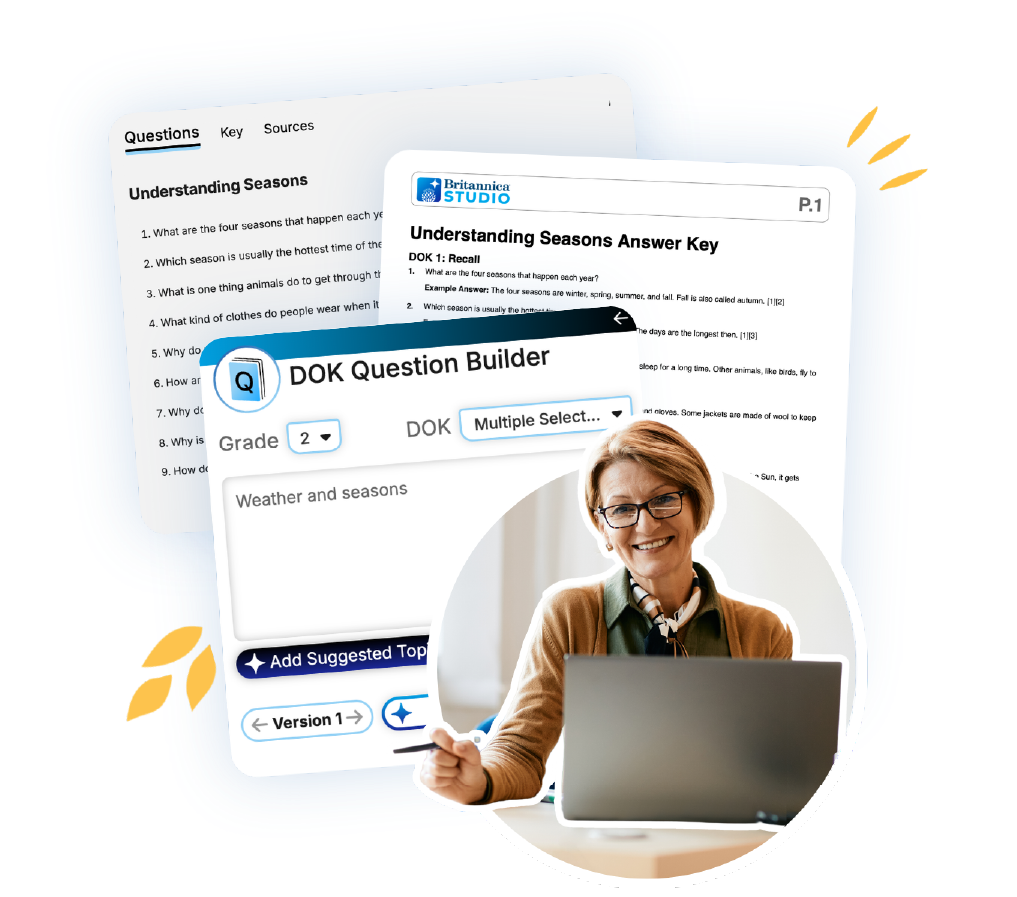
What is DOK Question Builder?
DOK Question Builder is Britannica Studio’s AI-powered Depth of Knowledge question generator designed to help teachers create rigorous questions that move students from recall to strategic and extended thinking.
Using trusted Britannica content, teachers can generate questions for one specific DOK level or create complete multi-level question sets spanning DOK Levels 1 through 4.
Save Lesson Planning Time
Generate ready-to-use DOK question sets in minutes.
Promote Higher-Order Thinking
Move students beyond memorization into analysis and evaluation.
Customize Classroom Materials
Edit, revise, and personalize every generated question set.
Support Formative Assessment
Quickly create checks for understanding aligned to learning objectives.
Use Trusted Britannica Content
Generate questions from reliable educational resources or your own content.
Increase Student Engagement
Encourage meaningful classroom discussions and inquiry.

Explore


Assess It

Summarize It
Vocabulary Builder
Level It

Passage Builder
DOK Question Builder

Present It
Build It, Teach It
How Can Educators Use DOK Question Builder?
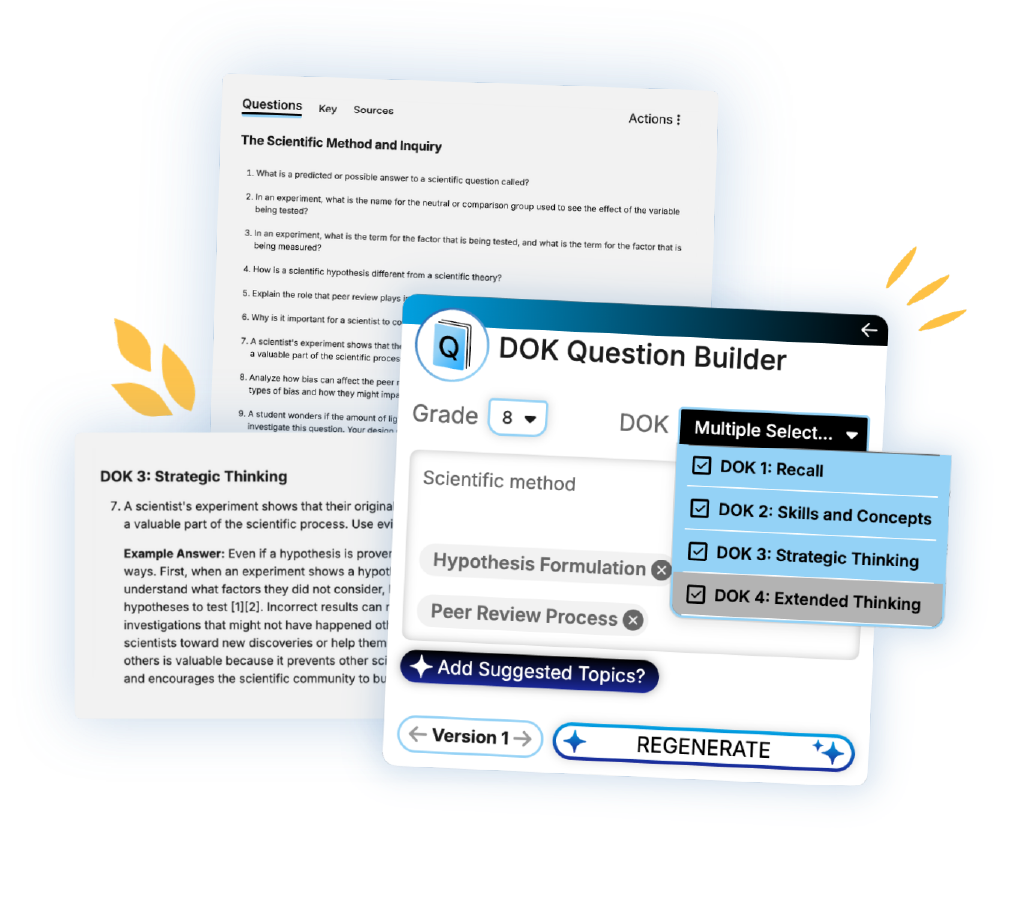
Create Formative Assessments
Generate DOK-aligned checks for understanding.
Differentiate Classroom Questions
Assign different DOK-leveled questions based on student readiness.
Support Close Reading
Guide students through increasingly complex text analysis.
Prepare Classroom Discussions
Generate inquiry questions that promote evidence-based conversation.
Support Project-Based Learning
Use DOK Level 4 prompts for authentic learning experiences.
How to Use DOK Question Builder
DOK Question Builder streamlines question creation by generating five classroom-ready questions for each selected Depth of Knowledge level using trusted Britannica content or educator-provided materials. Whether building quick formative assessments or promoting deeper thinking, teachers maintain full control over every generated question.
1. Customize Your Questions
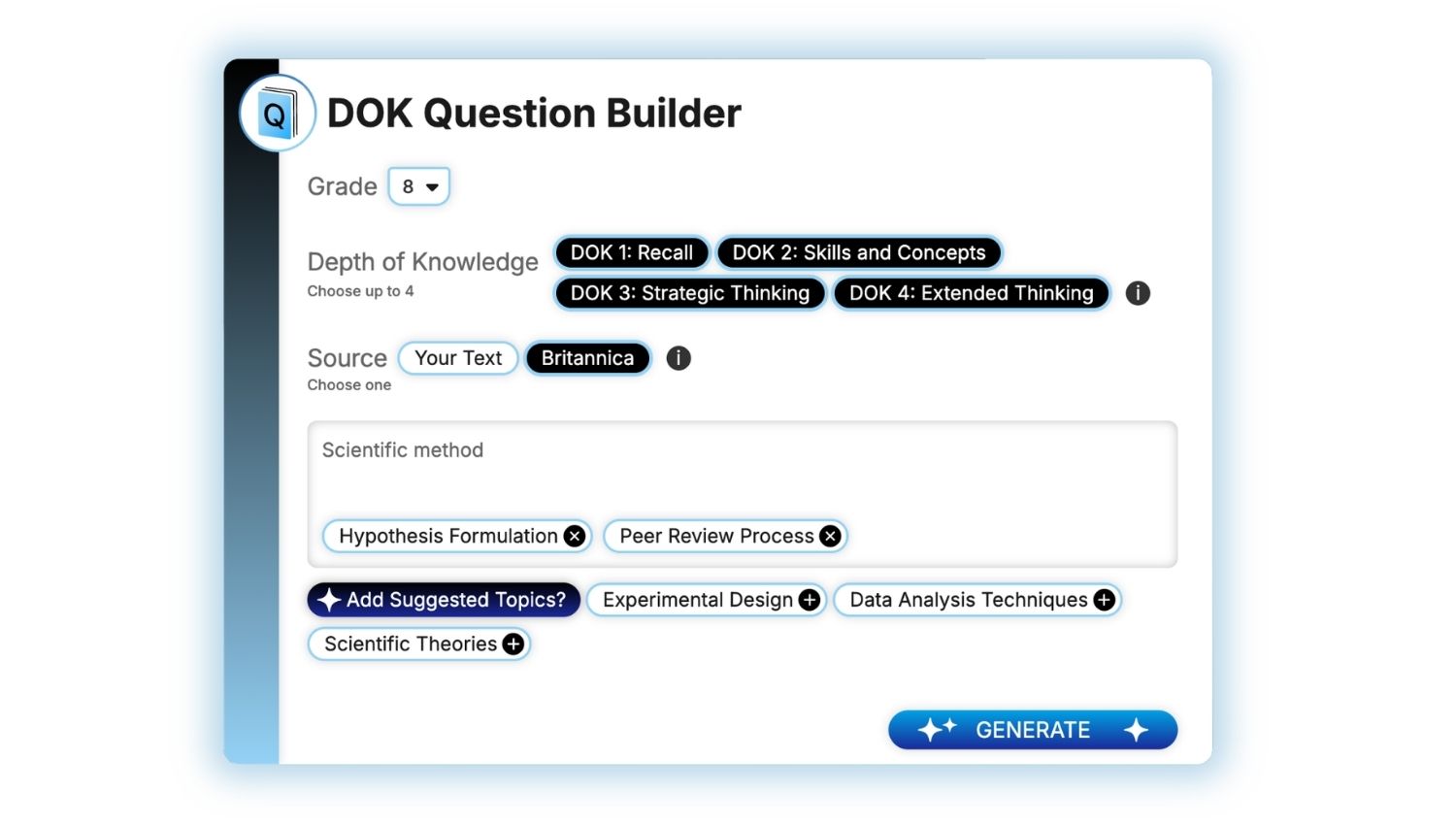
Select the grade level and your DOK question level(s):
- DOK Level 1: Recall, identify, define, label, and recognize key information.
- DOK Level 2: Compare, summarize, organize, classify, explain relationships, and apply concepts.
- DOK Level 3: Analyze evidence, justify reasoning, evaluate ideas, and draw conclusions.
- DOK Level 4: Design investigations, synthesize multiple sources, develop original solutions, and complete extended learning tasks.
Hover over the images to learn more about customizing outputs.
2. Add Your Content
Choose your source content. Select Your Text to paste your own material or Britannica to draw from Britannica’s trusted knowledge base.
When you’re ready, click Generate.
Use Suggested Topics to include related ideas and further refine the focus of your questions!
3. Review Your Results
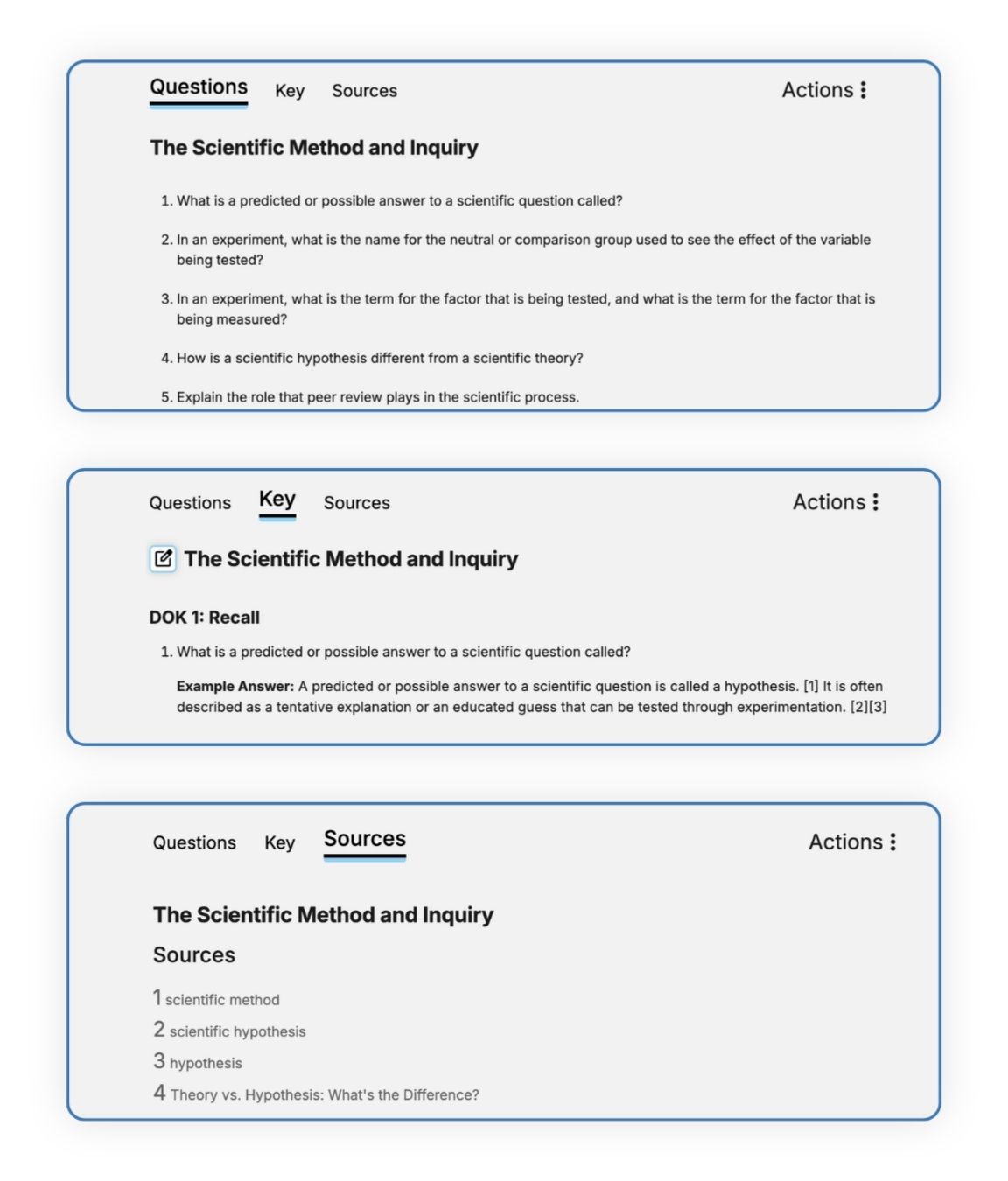
Review your generated questions on the output page. Your results include a Questions tab, a Key tab where you view and edit model answers, and a Sources tab with the Britannica references used when Britannica is selected as your source.
Need another version? Generate unlimited variations using the same inputs, or adjust grade and DOK levels to create a new version.
4. Customize Your Materials
Click Edit to make changes or add formatting to your answer key.
5. Export
When you’re finished, click Export to save the version you’re viewing for classroom use.
Recognition for Britannica Studio


Frequently Asked Questions
How many questions are generated?
DOK Question Builder generates up to five questions for every selected DOK level.
Can I generate questions for only one DOK level?
Yes. Teachers may select a single DOK level or generate questions across multiple levels.
Can I use my own content?
Yes. Generate DOK question sets using trusted Britannica content or your own pasted instructional materials.
Can I edit generated questions?
Yes. Every question can be reviewed, revised, and customized before classroom use.
What grade levels does DOK Question Builder support?
Question generation can be adapted for elementary, middle school, high school, and higher education classrooms.
How does DOK Question Builder support differentiated instruction?
Teachers can create different levels of cognitive challenge from the same passage, allowing students to engage with content at varying levels of complexity.
Why use DOK Question Builder instead of a general AI question generator?
DOK Question Builder combines trusted Britannica educational content with AI-powered question generation that intentionally aligns questions to Webb’s Depth of Knowledge framework, helping educators create more rigorous, classroom-ready instructional materials.

Teaching Is an Art. Let’s Get Started in the Studio.
Save time, personalize learning, and bring your ideas to life all in a workspace built to support your expertise.