
Welcome to Britannica Build
Everything you need to get started, all in one place.
Whether you’re brand-new to the Britannica Build Project-Based Learning platform or preparing to implement it in your classroom, this page will guide you through the process, help you understand its key stages, and support you in bringing meaningful, real-world learning experiences to your students.
Welcome to Britannica Build
Everything you need to get started, all in one place.
Whether you’re brand-new to the Britannica Build Project-Based Learning platform or preparing to implement it in your classroom, this page will guide you through the process, help you understand its key stages, and support you in bringing meaningful, real-world learning experiences to your students.
Get Started
New to Britannica Build Project-Based Learning? This guided tour will help you get oriented quickly and confidently.
Download the Guided Tour
This guide offers step-by-step support on accessing and navigating projects within Britannica Build, helping educators seamlessly facilitate research, inquiry, and solution development. For a clearer understanding, refer to the video walkthrough to explore how to use the platform effectively and enrich learning at every stage of the project journey.
Navigating Britannica Build
Learn how to use Britannica Build to navigate resources, guide problem-solving, and enrich each stage of the PBL journey.
How to:
Access Projects
Explore available projects by Theme, Lesson, an Type. Educators can select either an Explorer’s Guide or a Navigation Guide to access project resources. Guides can be viewed online or downloaded for offline use. Refer to the video walkthrough for a quick demonstration of how to browse and access projects.
How to:
Create Teams
Use the PBL Manager to create teams by adding student details manually or through bulk upload. Assign roles and responsibilities to ensure effective collaboration within each team. Refer to the video walkthrough for a quick demonstration of the process.
How to:
Check Progress
Once teams begin working on their projects, educators can easily track progress through the Britannica Build dashboard. Navigate to the assigned project to view each team’s stage-wise progress, submissions, and overall completion status. Refer to the video walkthrough for a quick guide on tracking progress.
How to:
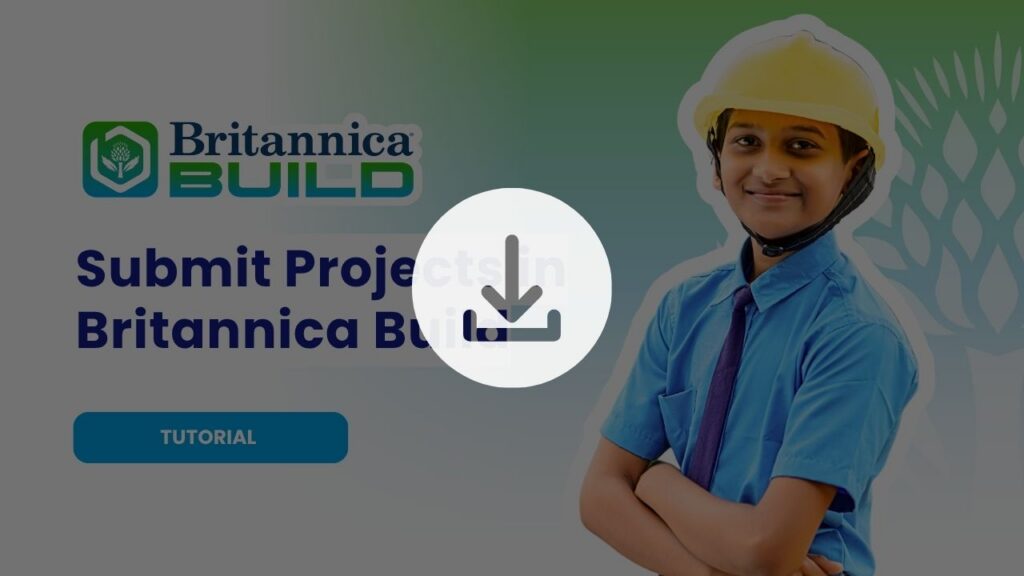
Submit Projects
After completing all project stages, ensure the Design Thinker’s Journal (DTJ) and other components are finalised. Review, save, and submit the project on the platform. Follow the step-by-step submission guide for detailed instructions.
Navigating Britannica Build
Learn how to use Britannica Build to navigate resources, guide problem-solving, and enrich each stage of the PBL journey.
How to:
Access Projects
Explore available projects by Theme, Lesson, an Type. Educators can select either an Explorer’s Guide or a Navigation Guide to access project resources. Guides can be viewed online or downloaded for offline use. Refer to the video walkthrough for a quick demonstration of how to browse and access projects.
How to:
Create Teams
Use the PBL Manager to create teams by adding student details manually or through bulk upload. Assign roles and responsibilities to ensure effective collaboration within each team. Refer to the video walkthrough for a quick demonstration of the process.
How to:
Check Progress
Once teams begin working on their projects, educators can easily track progress through the Britannica Build dashboard. Navigate to the assigned project to view each team’s stage-wise progress, submissions, and overall completion status. Refer to the video walkthrough for a quick guide on tracking progress.
How to:
Submit Projects
After completing all project stages, ensure the Design Thinker’s Journal (DTJ) and other components are finalised. Review, save, and submit the project on the platform. Follow the step-by-step submission guide for detailed instructions.
FAQ and Troubleshooting
Begin by:
- Reviewing the Orientation Guide in the Resources section
- Creating student teams in the PBL Manager
- Introducing the project theme and sharing the Explorer Guide with students
This ensures a structured start to the PBL journey.
You can:
- Add teams manually on the platform, or
- Use the bulk upload template to create multiple teams quickly
Ensure each team has a unique name within the grade/project.
Use the provided rubric to assess various specific criteria. Based on your observations and evidence of learning, tick the checkbox that best represents the learner’s level of achievement for each criterion. Ensure your evaluation is consistent, objective, and supported by examples from the learners’ work or behaviour during the project.
Projects may go through an evaluation based on:
- Innovation
- Research
- Collaboration
- Impact and presentation quality
Allocated teachers should evaluate students based on the rubrics mentioned in the platform.
The Design Thinker’s Journal (DTJ) is a structured document where students:
- Present their learning journey
- Record their research, ideas, and reflections
- Document their design thinking process
Each project has a maximum of 4-5 weeks of completion time with a buffer time. The navigation guide provides you with a split of in-class and after-school bifurcation of time to be allocated under each stage of the project.
- Set mini-deadlines for weekly check-ins to keep momentum.
- Dedicate 6 focused school sessions per month to PBL tasks.
Begin by:
- Reviewing the Orientation Guide in the Resources section
- Creating student teams in the PBL Manager
- Introducing the project theme and sharing the Explorer Guide with students
This ensures a structured start to the PBL journey.
You can:
- Add teams manually on the platform, or
- Use the bulk upload template to create multiple teams quickly
Ensure each team has a unique name within the grade/project.
Use the provided rubric to assess various specific criteria. Based on your observations and evidence of learning, tick the checkbox that best represents the learner’s level of achievement for each criterion. Ensure your evaluation is consistent, objective, and supported by examples from the learners’ work or behaviour during the project.
Projects may go through an evaluation based on:
- Innovation
- Research
- Collaboration
- Impact and presentation quality
Allocated teachers should evaluate students based on the rubrics mentioned in the platform.
The Design Thinker’s Journal (DTJ) is a structured document where students:
- Present their learning journey
- Record their research, ideas, and reflections
- Document their design thinking process
Each project has a maximum of 4-5 weeks of completion time with a buffer time. The navigation guide provides you with a split of in-class and after-school bifurcation of time to be allocated under each stage of the project.
- Set mini-deadlines for weekly check-ins to keep momentum.
- Dedicate 6 focused school sessions per month to PBL tasks.

Technical Help
We are committed to providing our users with the most responsive support possible. If you are encountering technical difficulties, our support team is here to help.
Britannica Education India PVT Ltd
Max House
6th floor Unit B
1 Dr Jha Marg Street, near Village Bahapur
Okhla Industrial Estate Phase 3
New Delhi 110020
