



Explore


Assess It

Summarize It
Vocabulary Builder
Level It

Passage Builder

DOK Question Builder

Present It
Build It, Teach It


Present It
Create AI-Powered Presentations in Minutes
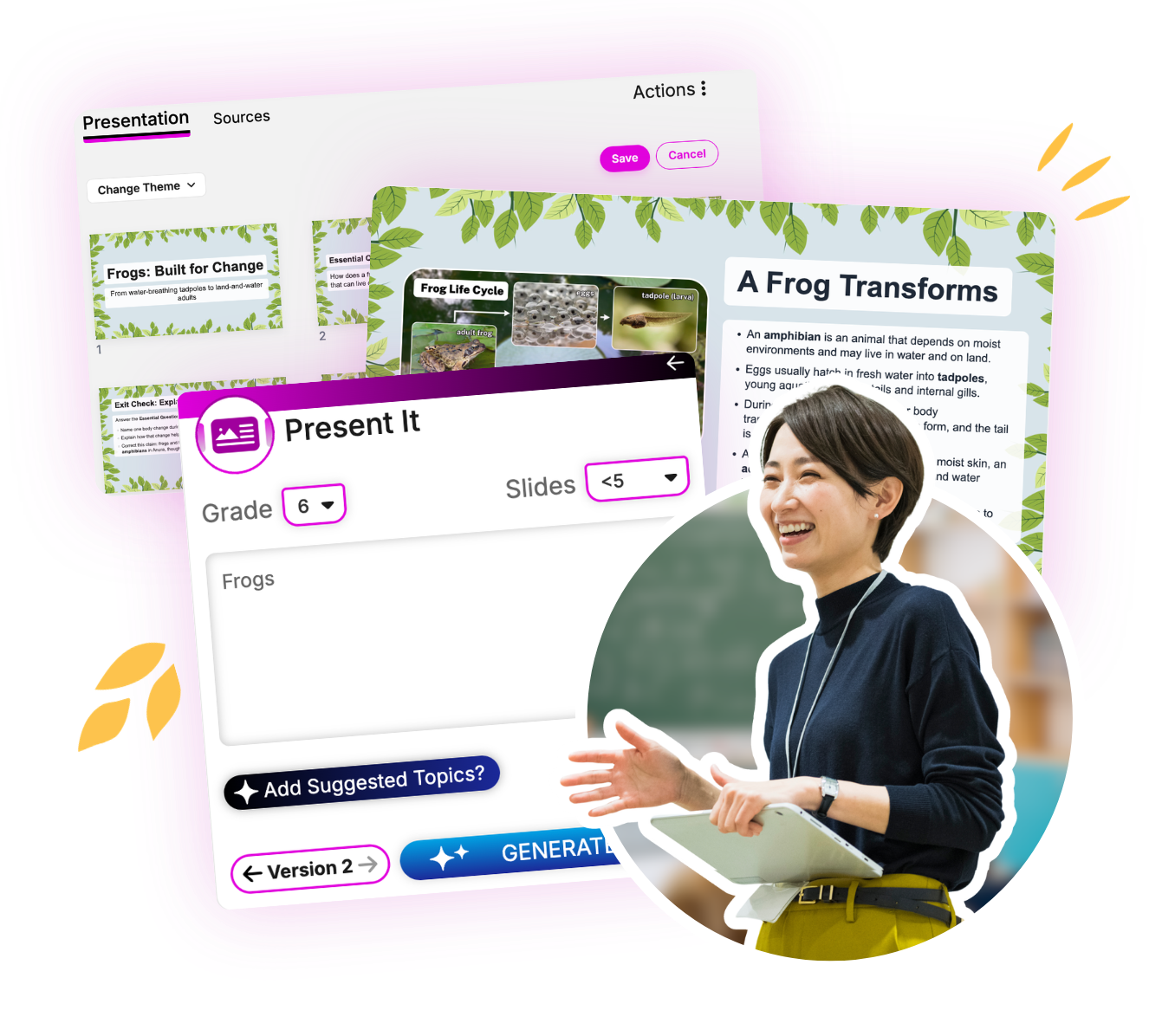
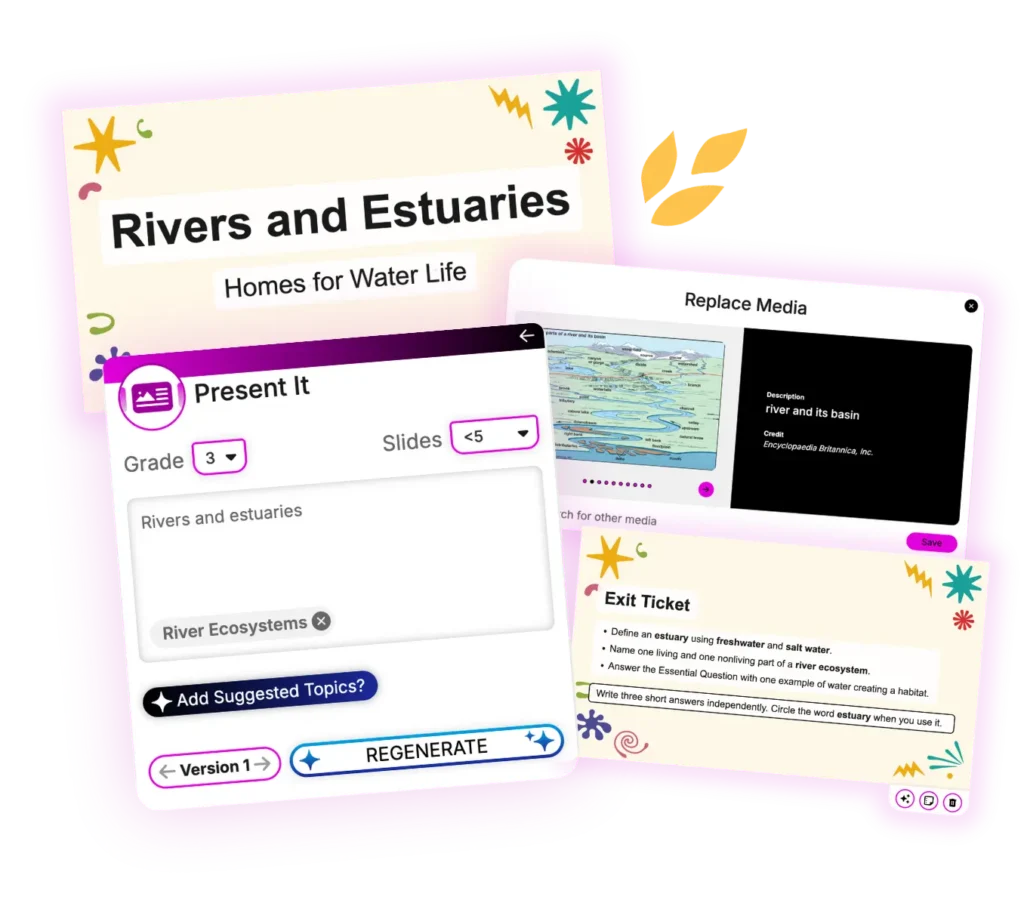
Present It is an AI-powered presentation generator that helps educators create engaging, classroom-ready slide decks using trusted Britannica content or their own materials. Generate organized, media-rich presentations with relevant images, videos, key concepts, and speaker-ready content in minutes.
What is Present It?
Present It is Britannica Studio’s AI-powered presentation generator designed to help teachers quickly create engaging instructional slide decks using trusted Britannica content or educator-provided text.
Educators can instantly transform articles, lesson materials, documents, and instructional resources into customizable multimedia presentations that include images, videos, speaker notes, and key concepts.
Save Lesson Planning Time
Generate complete presentations in minutes instead of hours.
Create Multimedia Lessons
Automatically include relevant images and educational videos.
Teach with Trusted Content
Build presentations using reliable Britannica resources.
Customize Every Slide
Edit layouts, content, images, and instructional notes before presenting.
Increase Student Engagement
Capture attention with rich visuals and interactive media.
Present with Confidence
Deliver organized, accurate, classroom-ready lessons.
How Can Educators Use Present It?
Introduce New Topics
Create engaging lesson introductions with visuals and multimedia.
Support All Methodologies of Instruction
Generate organized presentations that guide classroom learning.
Review Before Assessments
Summarize key concepts using visually engaging review slides.
Differentiate Instruction
Modify presentations for different grade levels and learning needs.
Support Substitute Teachers
Generate organized presentations that simplify lesson delivery.
Enhance Student Engagement
Combine images, videos, and instructional content in one presentation.
Creating Presentations with Present It
Teachers spend valuable planning time organizing content, designing slides, and finding relevant media. Present It streamlines lesson preparation by turning trusted Britannica content or educator-provided materials into complete, classroom-ready multimedia presentations with organized slides, images, videos, and instructional content.
1. Customize Your Presentation
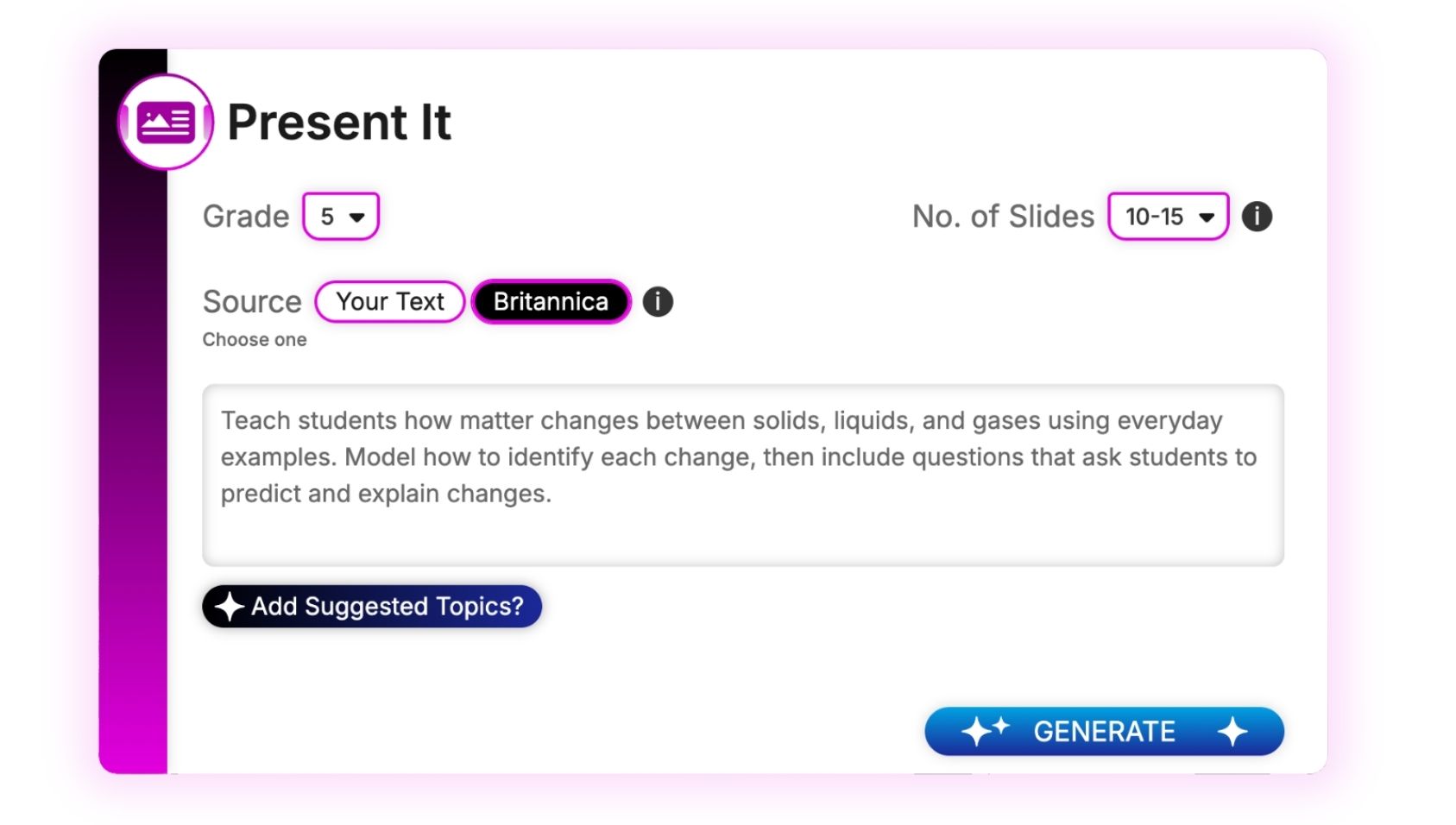
Select the grade level, choose your content source, and set the number of slides for your presentation.
Hover over the images to learn more about customizing outputs.
2. Add Your Topic
Enter a topic, using either Britannica or your own text, to guide the focus of your presentation.
When you’re ready, click Generate.
Use Suggested Topics to include related ideas and further refine the focus of your vocabulary list!
3. Review Your Results
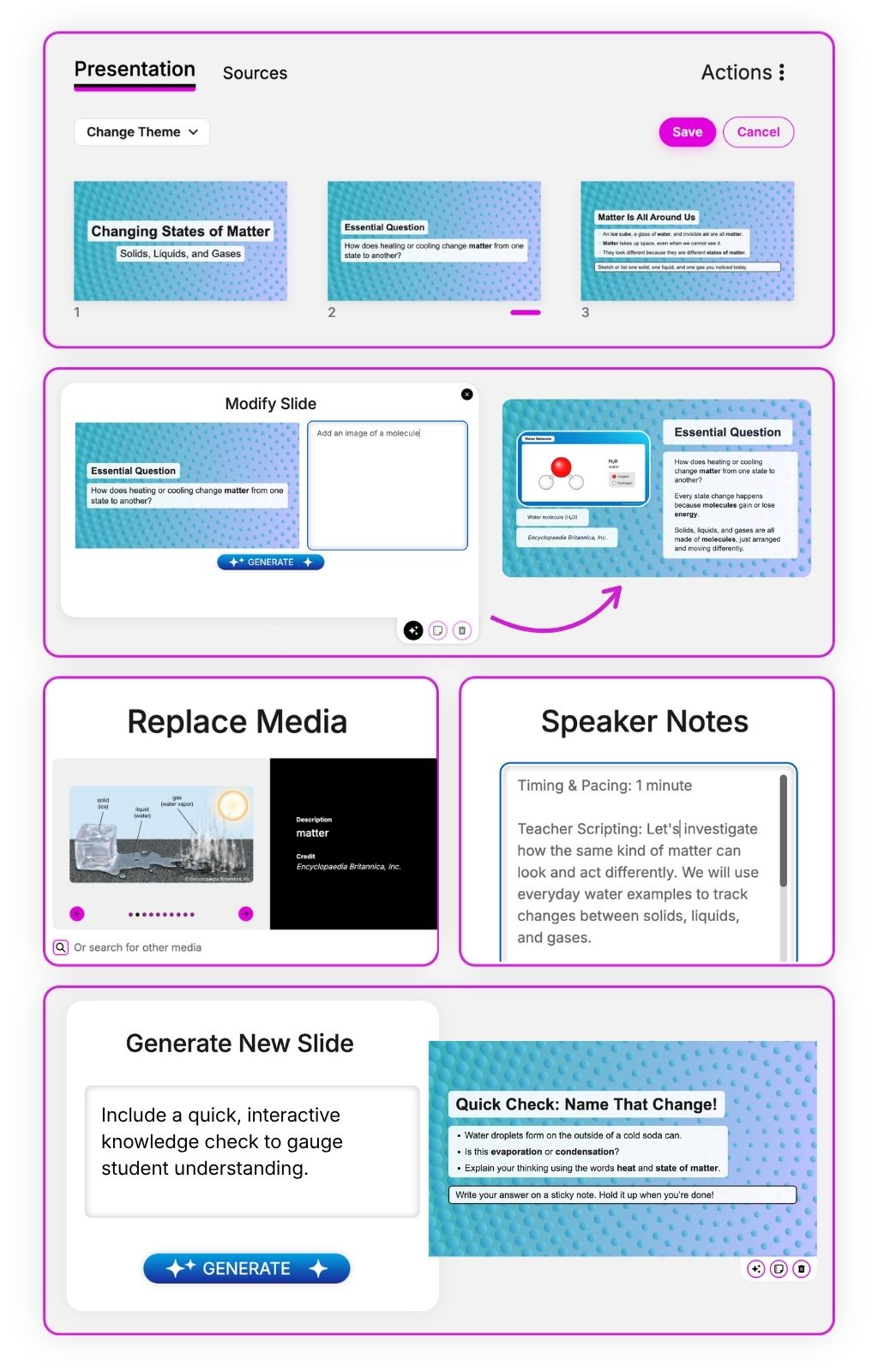
Review your generated slide deck, including the slide sequence, instructional content, images, videos, and speaker notes.
Need another version? Click Regenerate to create a new presentation using the same inputs, or adjust your selections and click Generate again.
Use verbs like teach, show, model, guide, compare, analyze, and apply to signal the instructional flow you want in the generated slides.
4. Customize Your Presentation
Click Edit to make changes before classroom use. Adjust slide order, revise text and speaker notes, update visuals, or refine instructional content to fit your lesson.
Presentations, including all slide text and speaker notes, can be translated into Spanish and Portuguese.
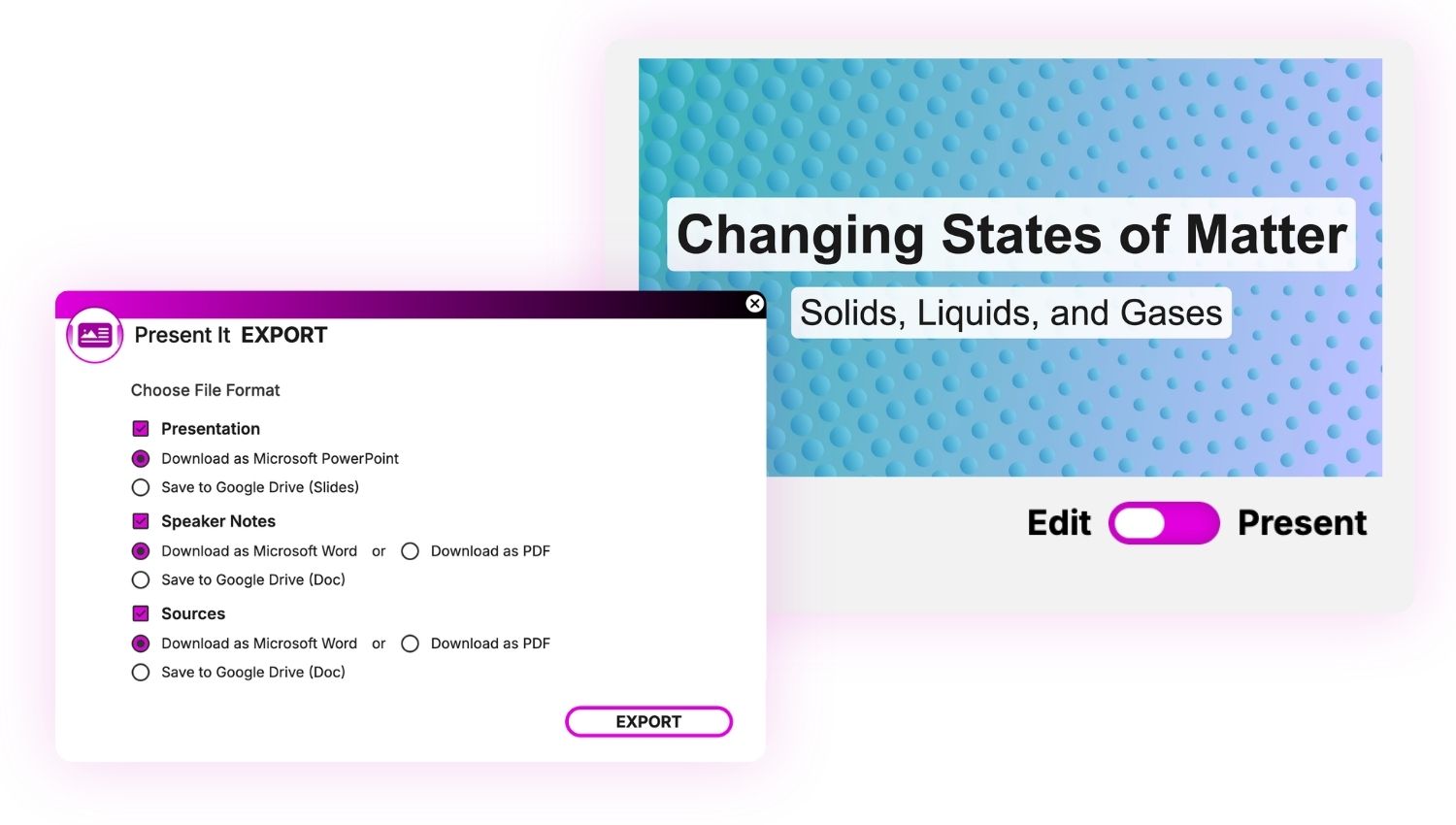
5. Present or Export Your Presentation
When you’re finished, click Export to save your presentation in Microsoft PowerPoint or Google Slides.
You can also preview and present your presentation directly in Britannica Studio.
Recognition for Britannica Studio


Frequently Asked Questions
What types of presentations can Present It create?
Present It generates classroom presentations for lessons, topic introductions, reviews, lectures, discussions, and student learning activities.
Can I create presentations from my own content?
Yes. Teachers can generate presentations using trusted Britannica content or their own pasted instructional materials.
What media is included in presentations?
Present It automatically incorporates relevant images, educational videos, and supporting visuals when appropriate to enhance learning. Rather than generate false imagery, Studio’s AI finds and cites relevant Britannica media for you.
Can I edit generated presentations?
Yes. Every presentation can be customized before classroom use, including slide order, text, visuals, and instructional content.
What grade levels does Present It support?
Present It supports educators across elementary, middle school, high school, and higher education, with presentations tailored to grade-level expectations.
Can I customize the number of slides?
Yes. Teachers can adjust presentation length and edit slides to fit instructional goals.
How does Present It support differentiated instruction?
Teachers can modify presentations to meet varying student needs while maintaining consistent instructional content and classroom objectives.
Why use Present It instead of a general AI presentation generator?
Present It combines AI-powered presentation creation with trusted Britannica educational content, generating classroom-ready slide decks that include reliable information, relevant images, educational videos, and instructional organization designed specifically for educators.

Teaching Is an Art. Let’s Get Started in the Studio.
Save time, personalize learning, and bring your ideas to life all in a workspace built to support your expertise.