



Vocabulary Builder
Turn Any Topic into a Vocabulary Lesson
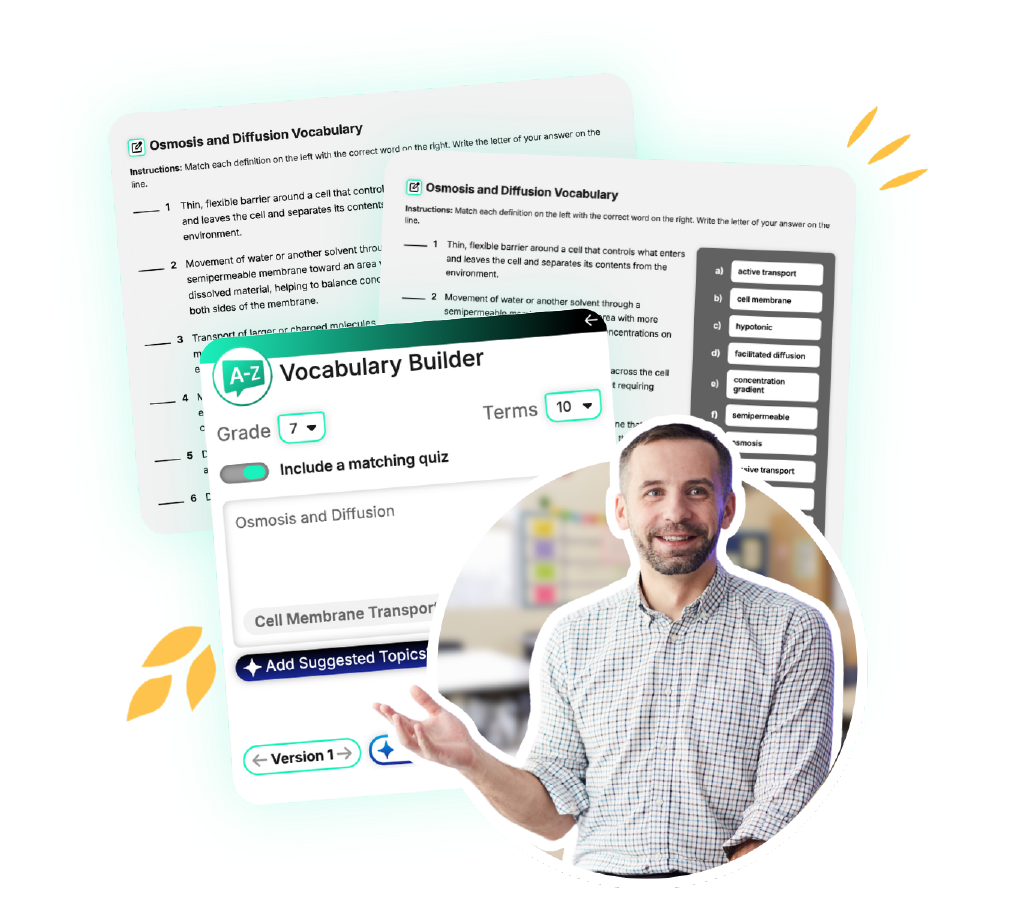
Vocabulary Builder is an AI-powered vocabulary generator that helps educators generate grade-appropriate vocabulary words, definitions, and instructional materials that support reading comprehension, content-area literacy, academic language development, and differentiated instruction.
What is Vocabulary Builder?
Vocabulary Builder is Britannica Studio’s AI-powered vocabulary instruction tool that helps teachers quickly identify, teach, and reinforce essential academic terms from trusted Britannica content and educator-provided materials.
Vocabulary Builder combines AI-powered vocabulary generation with trusted Britannica educational content and Merriam-Webster’s Dictionary, helping educators create more accurate, classroom-ready instructional resources.
Save Lesson Planning Time
Reduce preparation time while creating meaningful vocabulary instruction.
Build Academic Vocabulary
Help students learn the words they need for academic success across subjects.
Support Reading Comprehension
Strengthen student understanding of complex texts and content-area concepts.
Differentiate Vocabulary Instruction
Adjust vocabulary supports to meet varying student readiness levels and learning needs.
Reinforce Content Learning
Connect vocabulary development directly to classroom content and instructional goals.
Teach with Trusted Content
Create vocabulary resources using Britannica’s reliable educational content.
How Can Educators Use Vocabulary Builder?
Pre-Teach Key Vocabulary
Introduce important words before students begin reading or instruction.
Support Intervention Groups
Focus instruction on essential vocabulary needed for comprehension and success.
Support Multilingual Learners
Provide additional language supports that help students access grade-level content.
Differentiate Vocabulary Instruction
Create targeted vocabulary lists and quizzes for varying reading levels and learning needs.
Prepare Review Materials
Generate vocabulary review resources before assessments and projects.

Explore

Assess It
Summarize It
Vocabulary Builder
Level It
Passage Builder

DOK Question Builder
Present It
Build It, Teach It
Creating Lists and Assessments with Vocabulary Builder
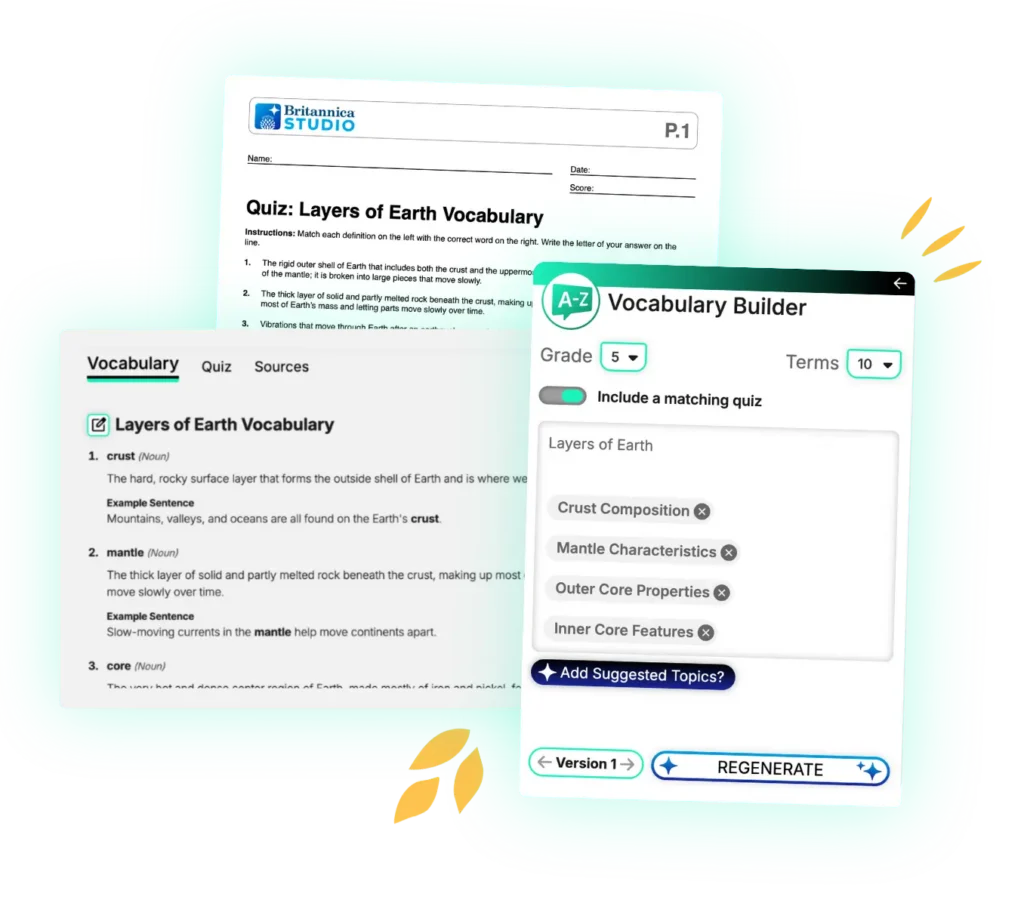
Teachers spend valuable instructional time identifying unfamiliar words, creating vocabulary lists, writing definitions, and developing instructional supports. Vocabulary Builder streamlines vocabulary instruction by automatically generating academic vocabulary definitions, example sentences, quizzes, and keys from trusted Britannica content, helping educators spend less time preparing materials and more time supporting student learning.
1. Customize Your Vocabulary List
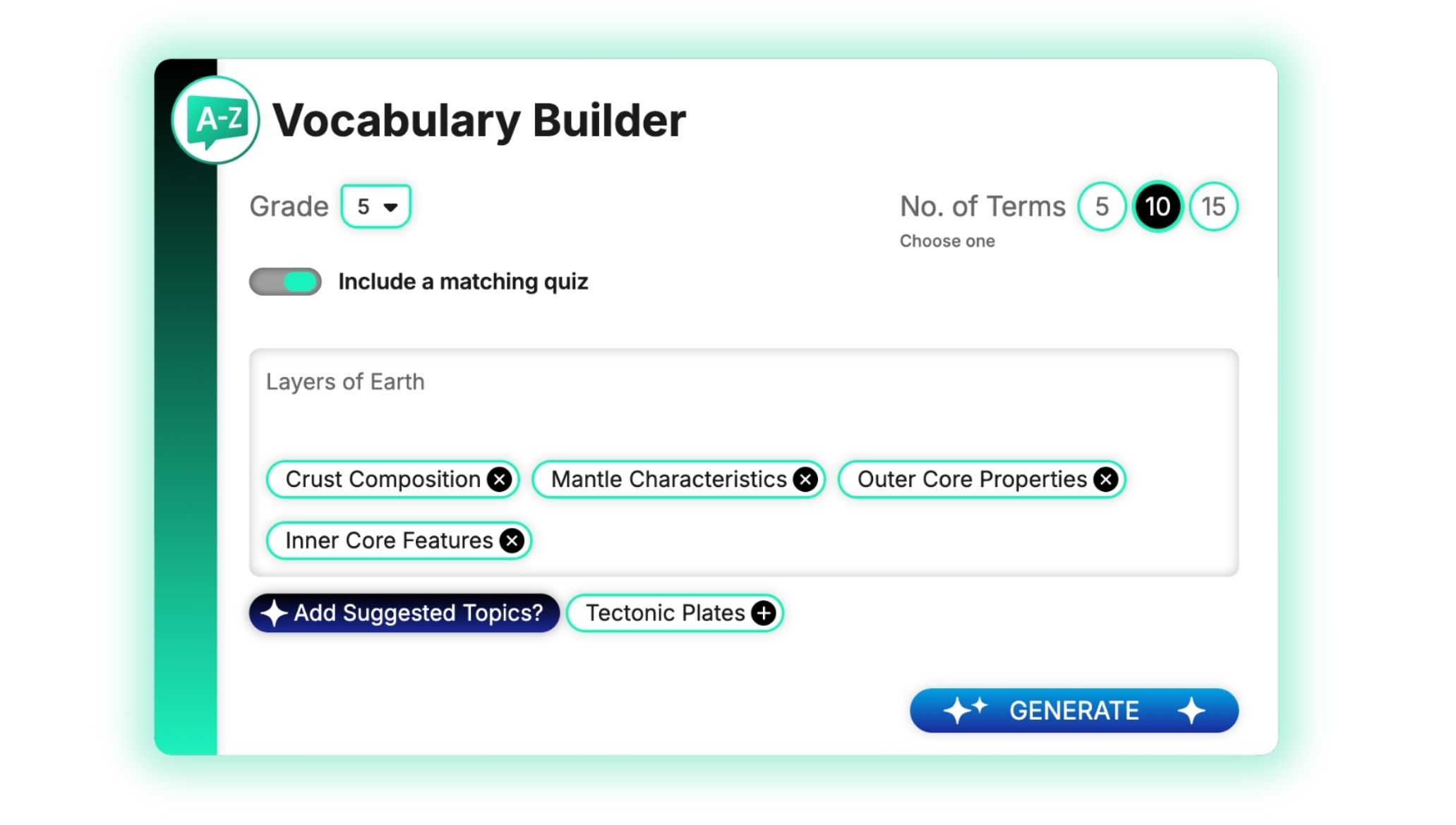
Select the grade level for your vocabulary list and choose how many terms you’d like to include. You can also choose whether to include a matching quiz with your list.
Hover over the images to learn more about customizing outputs.
2. Add Your Topic
Enter a topic and any additional details to help guide the word selection.
When you’re ready, click Generate.
Use Suggested Topics to include related ideas and further refine the focus of your vocabulary list!
3. Review Your Results
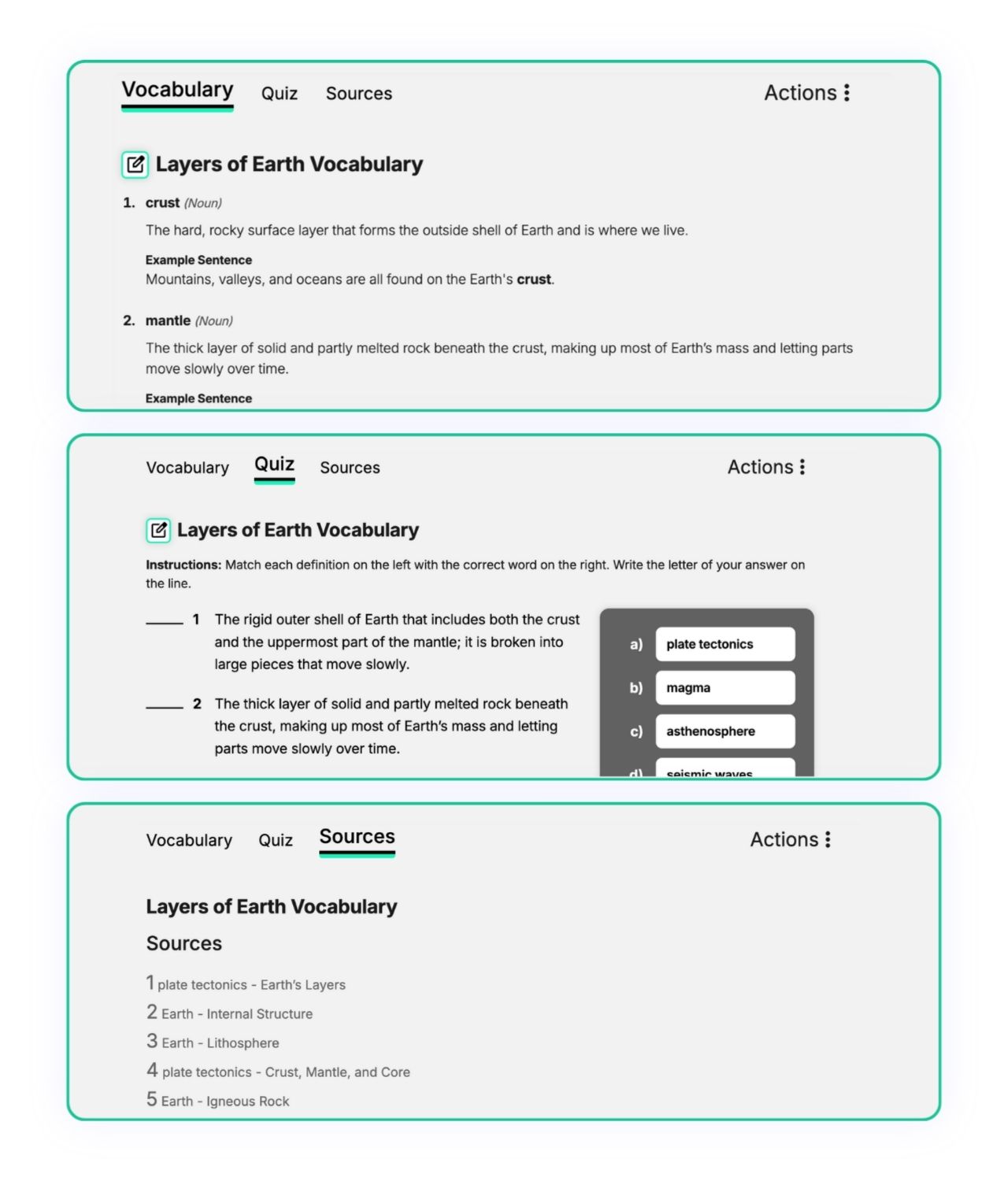
Review your generated vocabulary list on the output page. Your results include a Vocabulary tab with definitions and example sentences, a Quiz tab if selected, and a Sources tab with Britannica or Merriam-Webster references.
Need another version? Click Regenerate to create a new version using the same inputs, or adjust your grade level, number of terms, and quiz option and click Generate again. Use the arrows in the left panel to navigate between generated versions.
Need another version? Generate unlimited variations using the same inputs or adjust the grade level and question count to create a new version.
4. Customize Your Vocabulary List
Click Edit to make changes to your vocabulary list or quiz. Changes to a term or definition in the Vocabulary tab automatically update the quiz and vice versa.
If you’ve generated multiple vocabulary list versions, you can edit each version independently.
5. Export
When you’re finished, click Export to save the version you’re viewing for classroom use.
Recognition for Britannica Studio


Frequently Asked Questions
What grade levels is Vocabulary Builder designed for?
Vocabulary Builder supports educators across elementary, middle school, high school, and higher education settings, with vocabulary resources tailored to grade-level expectations and learning goals.
What types of vocabulary resources can Vocabulary Builder create?
Vocabulary Builder can generate:
- Academic vocabulary lists
- Content-specific vocabulary lists
- Student-friendly definitions and example sentences
- Vocabulary instructional supports
- Reading comprehension supports
- Vocabulary review materials
- Academic language resources
What types of vocabulary words does Vocabulary Builder identify?
Vocabulary Builder helps educators identify both academic vocabulary (Tier 2 words) and content-specific vocabulary (Tier 3 words) that are essential for student understanding.
Can I customize generated vocabulary resources?
Yes. Teachers can edit, revise, and customize all generated vocabulary materials before classroom use.
How does Vocabulary Builder support reading comprehension?
Vocabulary knowledge is strongly connected to reading comprehension. Vocabulary Builder helps students understand key terms before, during, and after reading.
Can I use my own instructional content?
Vocabulary Builder can generate vocabulary resources from Britannica content and educator-provided instructional materials, depending on your Studio workflow.
How does Vocabulary Builder support differentiated instruction?
Teachers can adjust vocabulary complexity, instructional focus, and support levels to meet diverse student needs.
Why use Vocabulary Builder instead of a general AI tool?
Vocabulary Builder combines AI-powered vocabulary generation with trusted Britannica educational content, helping educators create more accurate, classroom-ready instructional resources.

Teaching Is an Art. Let’s Get Started in the Studio.
Save time, personalize learning, and bring your ideas to life all in a workspace built to support your expertise.