



Build It, Teach It
Create Complete Classroom Lesson Materials in One Workflow
Build It, Teach It helps teachers create a custom passage and transform it into a complete lesson with assessments, summaries, vocabulary activities, differentiated reading levels, and DOK questions, all in one seamless AI workflow powered by trusted Britannica content.

What is Build It, Teach It?
Build It, Teach It is Britannica Studio’s all-in-one AI workflow that transforms a single passage into a complete set of classroom-ready teaching resources. Generate assessments, summaries, vocabulary activities, differentiated reading levels, and DOK questions without switching between tools.
By keeping every resource connected to the same passage, teachers can create consistent, standards-aligned lessons in minutes while maintaining full control over every AI-generated output.
Save Lesson Planning Time
Create multiple instructional resources from one passage in minutes.
Build Complete Lessons
Generate everything needed for instruction from a single starting point.
Differentiate Instruction
Instantly adapt reading levels to meet diverse student needs.
Maintain Instructional Consistency
Keep every classroom resource connected to the same instructional passage.
Stay in One Workflow
Access multiple AI teaching tools without restarting or re-uploading content.
Teach with Trusted Content
Create using Britannica’s reliable educational resources and AI-powered instructional tools.

Explore

Assess It

Summarize It
Vocabulary Builder
Level It

Passage Builder

DOK Question Builder

Present It
Build It, Teach It
How Can Teachers Use Build It, Teach It?
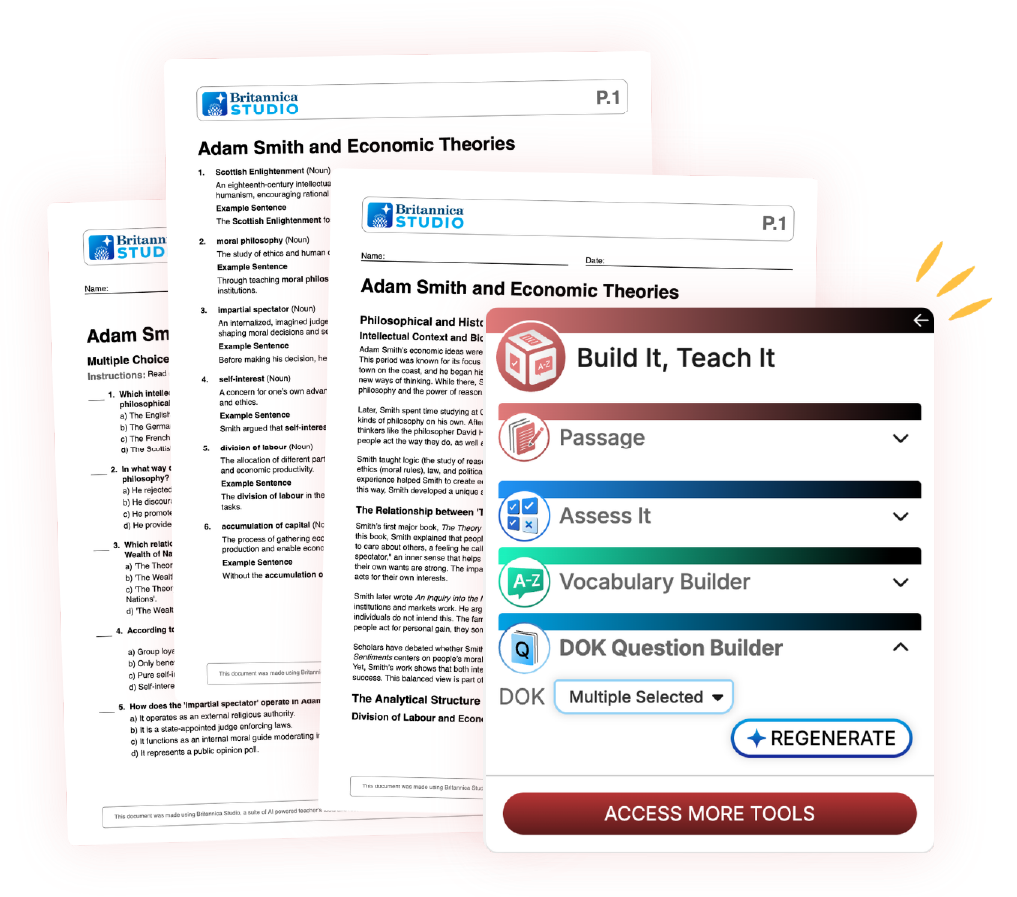
Create Complete Lesson Materials
Generate an entire instructional sequence based on a single passage.
Differentiate Reading Instruction
Create multiple reading levels for diverse learners without rewriting content.
Build Reading Comprehension Activities
Generate summaries, vocabulary support, and comprehension questions.
Prepare Formative Assessments
Create quizzes and exit tickets to monitor student learning.
Support Small Group Instruction
Differentiate instructional materials for intervention and enrichment groups.
Increase Student Engagement
Combine vocabulary, discussion questions, assessments, and differentiated texts into cohesive learning experiences.
Turn One Passage into an Entire Lesson with Build It, Teach It
Build It, Teach It streamlines lesson creation by enabling educators to create one instructional passage and instantly generate multiple classroom resources within a single workflow. Every resource stays connected to the original content, making lesson planning faster, easier, and more consistent.
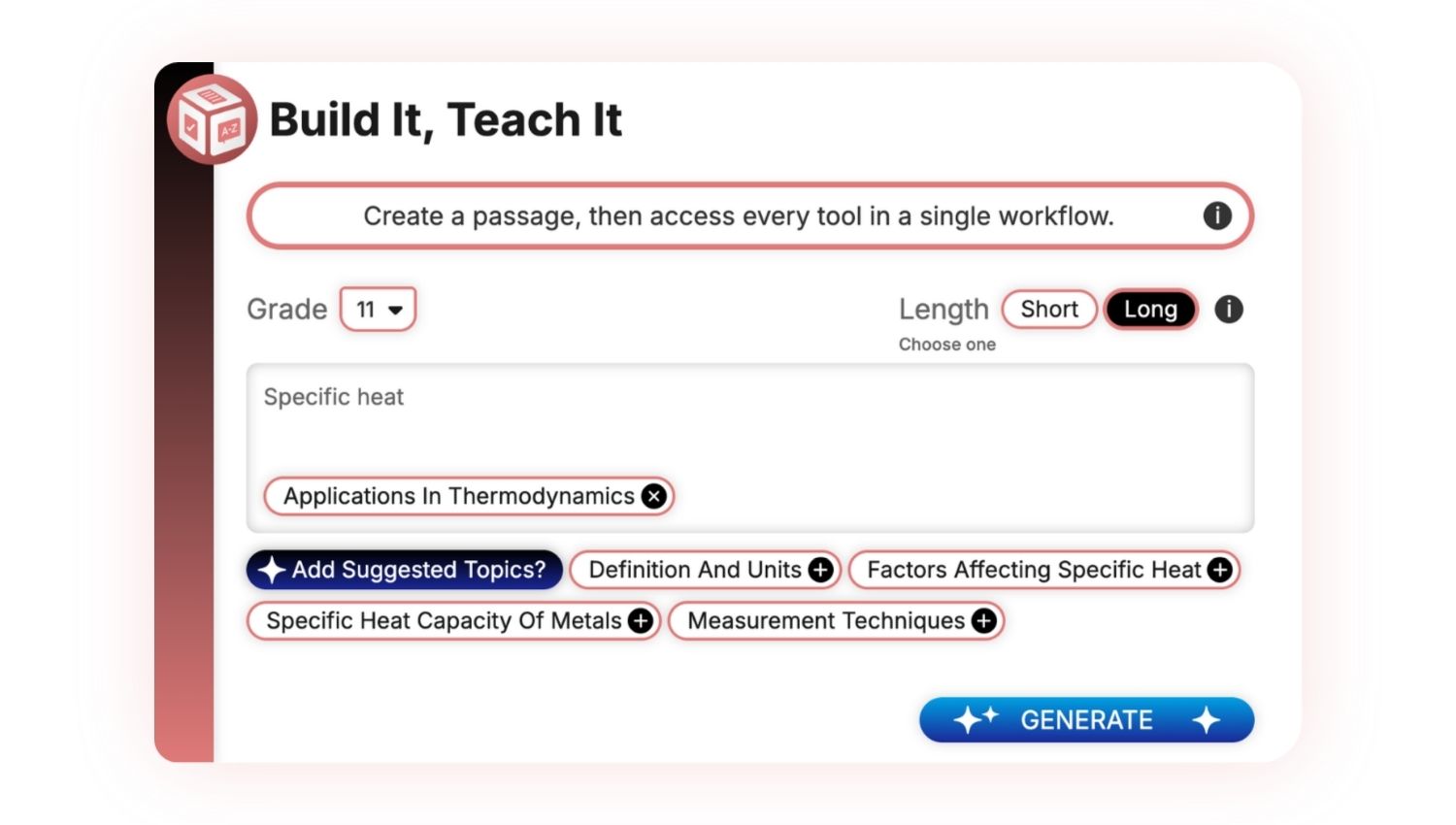
1. Build Your Passage
Choose a grade level and passage length, and then enter a topic or idea you’d like to explore.
Use Add Suggested Topics to refine your focus, and click Generate to create a student-ready informational passage.
Hover over the images to learn more about customizing outputs.
2. Review and Customize
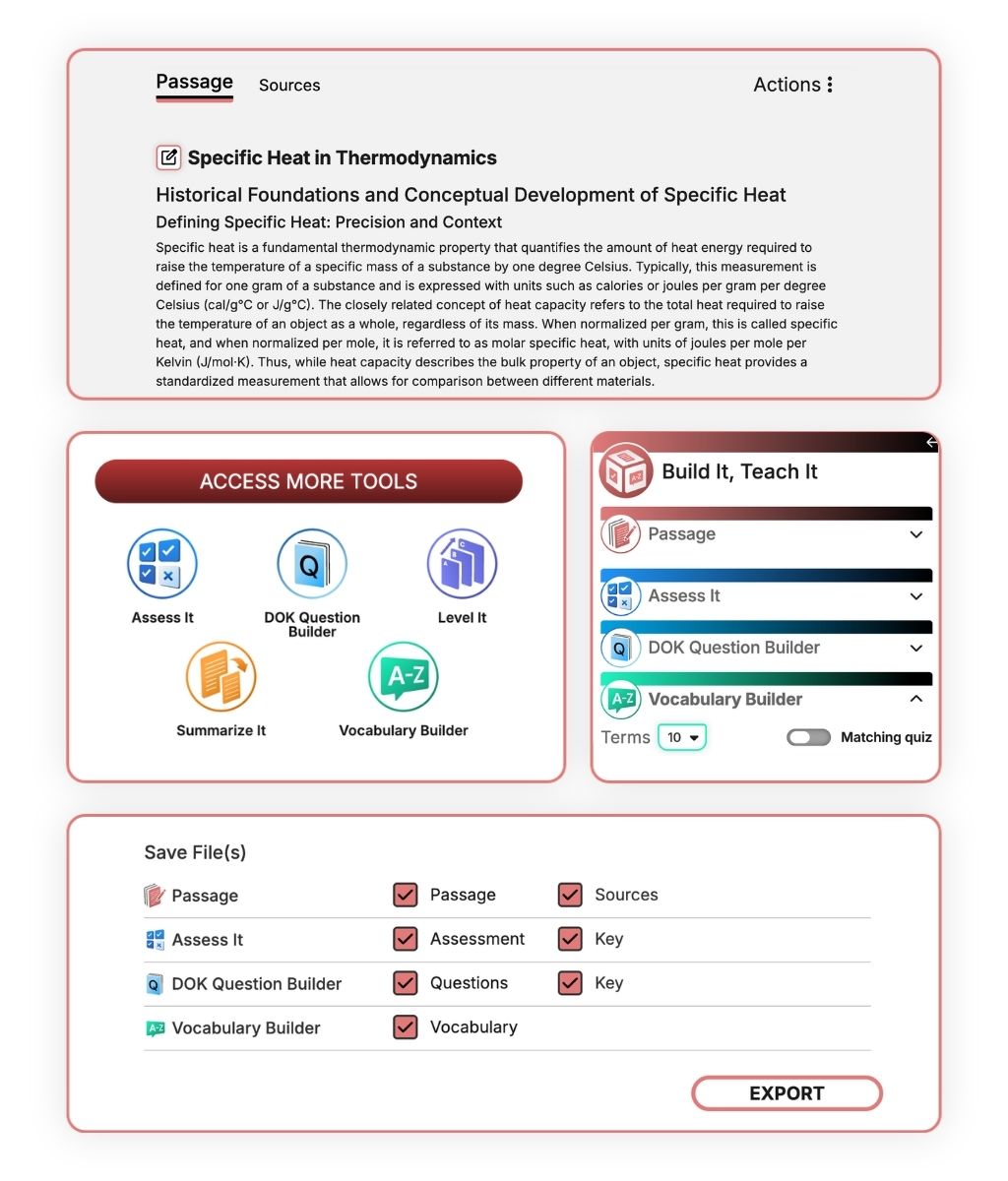
Review your passage and click Edit to make changes or add formatting.
Need another option? Regenerate using the same inputs or adjust your settings to create a new version.
3. Access More Tools
When you’re happy with your passage, click Access More Tools to turn the same content into additional classroom resources:
- Assess It: Create comprehension questions.
- DOK Question Builder: Generate question sets aligned to Webb’s Depth of Knowledge framework.
- Level It: Adapt the passage for multiple reading levels.
- Summarize It: Generate a summary in multiple formats.
- Vocabulary Builder: Create a vocabulary list with definitions, examples, and an optional quiz.
4. Build Your Workflow
Move between tools to create the resources you need. Each tool uses your original passage, so there’s no need to start over.
You can generate multiple versions of each resource and customize your results with Edit.
5. Export
When your materials are ready, click Export to save or share them with your students.
Recognition for Britannica Studio


Frequently Asked Questions
What is Build It, Teach It?
Build It, Teach It is Britannica Studio’s AI instructional workflow tool that allows teachers to create one passage grounded in trusted Britannica content and multiple classroom resources aligned to that passage.
What can I create with Build It, Teach It?
Teachers can generate:
- Formative assessments
- Summaries
- Vocabulary activities
- Differentiated reading levels
- Depth of Knowledge questions
Do I have to re-create my passage for every tool?
No. Every tool works from the same original passage, allowing teachers to move seamlessly through the workflow without starting over.
Can I customize every generated resource?
Yes. Every resource can be edited, revised, and personalized before classroom use.
How does Build It, Teach It support differentiated instruction?
Teachers can instantly generate multiple reading levels, vocabulary supports, summaries, and assessments tailored to different learning needs.
Does Build It, Teach It save time?
Yes. Instead of creating multiple instructional materials separately, teachers generate an entire lesson package from one passage within minutes.
Why is Britannica Studio different from other AI lesson generators?
Britannica Studio combines trusted educational content, transparent sourcing, editable outputs, and multiple instructional tools inside one integrated AI experience.

Teaching Is an Art. Let’s Get Started in the Studio.
Save time, personalize learning, and bring your ideas to life all in a workspace built to support your expertise.